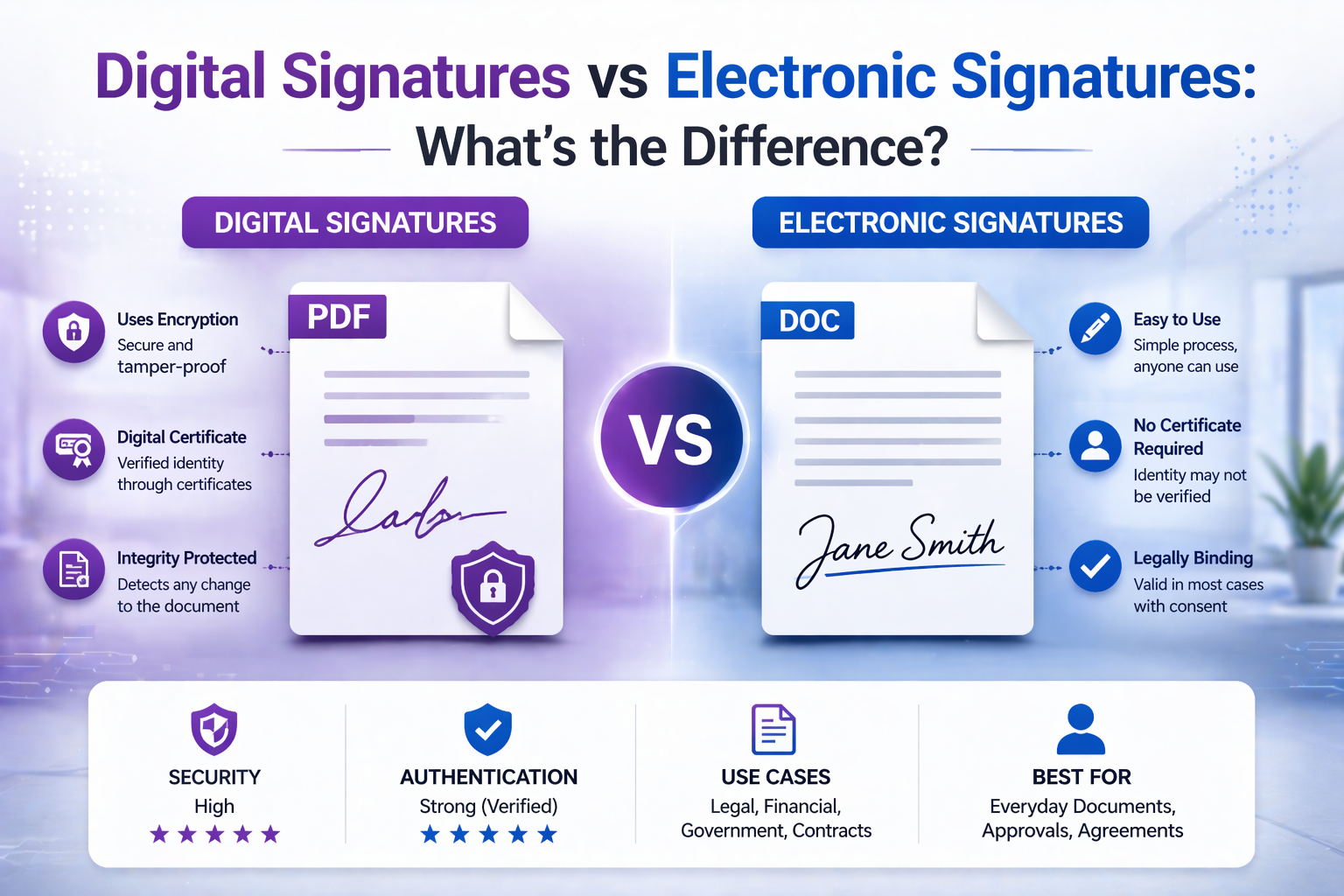
Digital Signatures vs Electronic Signatures: What's the Difference?
As more documents move online, the need for secure and legally valid signatures has grown rapidly. Whether you're signing contracts, approving documents, or handling business agreements, you’ve probably encountered the terms electronic signature and digital signature.
Although they are often used interchangeably, they are not the same. Understanding the difference is essential, especially when dealing with legal, financial, or compliance-sensitive documents.
In this guide, we break down the key differences, how each works, when to use them, and what they mean for your workflows in 2026.
What Is an Electronic Signature?
An electronic signature (or eSignature) is any form of digital indication that a person agrees to the contents of a document.
This can include:
- Typing your name into a form
- Drawing a signature with a mouse or touchscreen
- Uploading a scanned signature image
- Clicking “I agree” on a document
Electronic signatures are designed for convenience and speed. They are widely used in everyday business transactions and are legally valid in many jurisdictions.
If you need to quickly sign a document online, you can use our dedicated tool.
What Is a Digital Signature?
A digital signature is a specific type of electronic signature that uses cryptographic technology to verify identity and ensure document integrity.
Unlike simple electronic signatures, digital signatures are backed by:
- Encryption algorithms
- Digital certificates
- Certificate authorities (CAs)
This means a digital signature not only shows intent to sign, but also proves:
- Who signed the document
- That the document has not been altered after signing
Key Difference: Intent vs Security
The main difference between electronic and digital signatures is their purpose.
- Electronic signature: Focuses on intent and agreement
- Digital signature: Focuses on identity verification and security
Electronic signatures are about convenience. Digital signatures are about trust and verification.
Are Electronic Signatures Legally Binding?
Yes — in most countries, electronic signatures are legally binding, provided certain conditions are met.
For example:
- The signer intended to sign
- The signer consented to do business electronically
- The signature can be associated with the signer
Laws such as ESIGN (US) and eIDAS (EU) recognize electronic signatures.
Are Digital Signatures More Secure?
Yes. Digital signatures provide a higher level of security because they use cryptographic verification.
Key advantages include:
- Tamper detection
- Identity authentication
- Audit trail
If a document is modified after signing, the digital signature becomes invalid.
When Should You Use an Electronic Signature?
Electronic signatures are ideal for everyday use cases:
- Signing contracts quickly
- Approving internal documents
- Filling out forms
- Accepting agreements online
They prioritize speed and ease of use.
When Should You Use a Digital Signature?
Digital signatures are better suited for high-security scenarios:
- Legal contracts requiring verification
- Government or regulatory documents
- Financial agreements
- Documents requiring compliance
They provide stronger assurance of authenticity.
Common Misconceptions
“All electronic signatures are digital signatures”
False. Digital signatures are a subset of electronic signatures.
“Electronic signatures are not secure”
False. They are secure for most everyday use cases.
“Digital signatures are always required”
False. Most workflows do not need that level of security.
How This Applies to PDF Documents
PDF is the most common format for signed documents. It supports both electronic and digital signatures.
Typical workflow:
- Create or upload document
- Add signature
- Send or store securely
To sign quickly:
Legal Frameworks: Electronic vs Digital Signatures Worldwide
One of the most important aspects of signatures is legal validity. While both electronic and digital signatures are widely accepted, the legal framework varies depending on the region and the level of security required.
United States (ESIGN & UETA)
In the United States, electronic signatures are legally recognized under the ESIGN Act and the Uniform Electronic Transactions Act (UETA).
These laws establish that:
- Electronic signatures cannot be denied legal effect
- Digital agreements are enforceable
- Consent to electronic transactions is required
In most business scenarios, a simple electronic signature is sufficient.
European Union (eIDAS Regulation)
The EU uses the eIDAS regulation, which defines three levels of electronic signatures:
- Simple Electronic Signature (SES)
- Advanced Electronic Signature (AES)
- Qualified Electronic Signature (QES)
A digital signature typically falls under advanced or qualified categories, offering higher legal assurance.
For high-risk or regulated documents, QES is often required.
Security Comparison in Depth
While both types of signatures serve to indicate agreement, their security models differ significantly.
Electronic Signature Security
- Relies on intent and consent
- May include audit logs
- Often tied to email or account verification
This is sufficient for most everyday transactions.
Digital Signature Security
- Uses public-key cryptography
- Includes a digital certificate
- Validates identity through trusted authorities
- Detects document tampering
Digital signatures provide mathematical proof of authenticity.
How Digital Signatures Work (Simplified)
Digital signatures rely on encryption technology.
The process works as follows:
- A hash of the document is created
- The hash is encrypted using the signer’s private key
- A certificate authority verifies the identity
- The recipient uses the public key to validate the signature
If the document changes after signing, the signature becomes invalid.
Business Use Cases: Choosing the Right Signature
The choice between electronic and digital signatures depends on risk level, compliance requirements, and workflow complexity.
Low-Risk Scenarios
- Internal approvals
- Basic contracts
- Customer agreements
Electronic signatures are sufficient.
Medium-Risk Scenarios
- Freelance contracts
- Vendor agreements
- Service contracts
Electronic signatures with audit trails are recommended.
High-Risk Scenarios
- Legal filings
- Financial agreements
- Government documents
Digital signatures are preferred.
Workflow Example: Modern Document Signing
In real-world workflows, both types of signatures often coexist.
- Create document
- Send for electronic signature
- Apply digital signature if required
- Store final signed version
To sign documents quickly:
Audit Trails & Compliance
One key advantage of modern electronic signature tools is the audit trail.
Audit logs may include:
- Timestamp of signature
- IP address
- User identity
- Document version history
This provides additional legal support even for simple electronic signatures.
Common Risks & Mistakes
Using Simple Signatures for High-Risk Documents
This can lead to disputes or compliance issues.
Not Verifying Identity
Without verification, signatures may be challenged.
Ignoring Legal Requirements
Different jurisdictions have different standards.
Storing Signed Documents Incorrectly
Improper storage can invalidate audit trails.
Electronic vs Digital Signature: Comparison Table
| Feature | Electronic Signature | Digital Signature |
|---|---|---|
| Security Level | Medium | High |
| Ease of Use | Very Easy | More Complex |
| Legal Validity | Widely Accepted | Stronger Assurance |
| Verification | Basic | Cryptographic |
| Best For | Everyday Use | High-Risk Documents |
FAQ (Frequently Asked Questions)
Is a typed name considered an electronic signature?
Yes, if intent and consent are present.
Can electronic signatures be challenged in court?
Yes, but audit trails strengthen validity.
Are digital signatures required for all contracts?
No, only for high-security or regulated cases.
Which is better for business?
Electronic signatures for speed, digital signatures for security.
Final Thoughts
Electronic signatures and digital signatures serve different purposes. One focuses on convenience and usability, the other on security and verification.
Choosing the right one depends on your specific use case, legal requirements, and risk tolerance.
Start signing your documents here: Sign PDF Online